for Managers
DailyPay is a free-to-enroll financial wellness benefit your company offers. It gives employees access to the pay they have already earned before their scheduled payday and other free financial tools. Employees download the app, connect their bank account, and can transfer a portion of their earned pay whenever they need it (fee may apply).
There is no cost to sign up for the app. Standard next-business day transfers to a bank account are always free. Instant transfers have a fee, which employees can eliminate entirely by enrolling in the DailyPay Visa® Prepaid Card (if available) and setting it as their direct deposit location.
Note: The DailyPay Card is only available to eligible employers. For questions regarding eligibility, please reach out to your dedicated Client Success Manager or Client Support.
Yes, DailyPay is safe and maintains rigorous organizational, physical, and technical safeguards to ensure employees' bank and payment information remains strictly protected. The platform complies with ISO 27001, SOC 2 Type 2, and PCI DSS. DailyPay does not share employee data without their permission.
Paycheck Deposit
When an employee signs up for DailyPay, their paycheck deposit will come from a DailyPay account on their regularly scheduled payday. If they see 'Wells Fargo' or 'PNC' listed on their paystub, banking details, bank statements or in your payroll system, that's one of the secure partner banks that DailyPay uses in processing transfers and paycheck deposits.
Paycheck Amount
DailyPay simply gives employees early access to pay they have already earned. The employee can track all of this in the app so they can understand approximately how much they will take home for each paycheck on payday. On payday, they will receive their full paycheck minus any amounts they already transferred through DailyPay and applicable fees, if any. We do not charge any interest for employees to access their pay before payday, just a transfer fee if they choose an instant option without having the direct deposit set to their DailyPay Visa® Prepaid Card.
DailyPay connects to your company's payroll and timekeeping system. It calculates employee’s available earnings based on hours that employee worked and the employee's pay rate. The amount available updates as employees work more hours.
On payday, employees will receive their full paycheck minus any amounts they already transferred through DailyPay and applicable fees, if any. So if an employee earned $500 and transferred $100 early, they will see $400 deposited on payday, less any instant transfer fees paid if applicable.
Employees sign up by downloading the DailyPay app from their app store (Apple or Google Play), create an account using their email address, and complete identity verification. They will also need to verify their employment by providing their email address on file or employee ID. Once verified, they set their direct deposit location and are ready to use the benefit.
Employees without a smart phone can also enroll by visiting get.dailypay.com and following the steps outlined above.
Enrolling is fast and easy, only taking about two minutes from start to finish. To enroll, and employee may need:
The employee should double-check that they used the correct email address, phone number, and/or employee ID associated with their employer. If it still does not work, they should contact our DailyPay Customer Support team, available to call 24 hours a day, 7 days a week on 1-866-432-0472.
Employees can visit get.dailypay.com or download the DailyPay app to explore the benefit at their own pace.
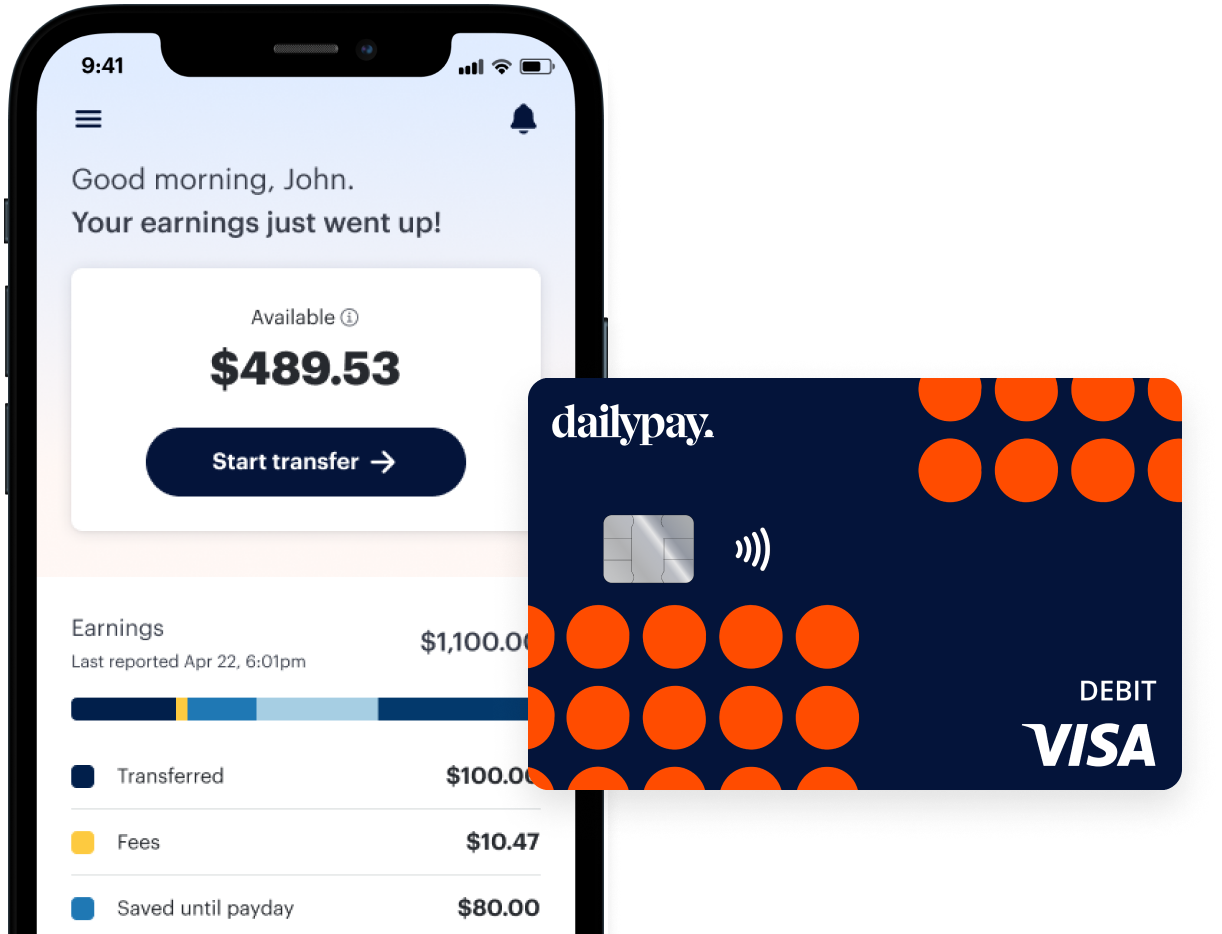
Employees can log into DailyPay to see their available earnings based on hours worked, and choose how much they want to transfer. They select the amount they would like to transfer, when they want it transferred by, and the direct deposit destination to confirm the transfer.
The amount available is unique to each employee as it depends on how many hours the employee has worked since their last payday, their pay rate, and any transfers they have already made (if any). Employees can see their exact available earnings at any time and can transfer any amount up to $1,000 of their available earnings per day.
Instant transfers arrive within 30 minutes, 24/7, including nights, weekends, and bank holidays. Standard next business transfers arrive on the next business day and are always free. Please note that transfers requested prior to 11:00 p.m. ET are available in the morning on the next business day. Business days are defined as Monday through Friday, excluding bank holidays.
Option 1: Standard next business day transfers to a bank account are always free. The pay they’ve transferred ahead of payday will arrive the next business day after the request is made.
Option 2: Employees who enroll in the DailyPay Visa® Prepaid Card and set it as their direct deposit location always benefit from no-fee* instant transfers with no per-transfer fee.
Employees can view their paycheck history and upcoming pay details directly in the DailyPay app by visiting the Earnings tab. For upcoming paychecks, they will see a breakdown of earnings, estimated taxes and withholdings, transfers taken, and the estimated amount they can expect to receive on payday after any early transfers and transfer fees (if any) are accounted for. For past paychecks, they can see a similar breakdown with the actual breakdown, not estimates, and a summary on what was deposited on payday and to where.
Employees can update their bank account directly in the DailyPay app under account settings. They will need to connect the new account and verify it before making transfers to it. If they run into trouble, they should contact our DailyPay Customer Support team, available to call 24 hours a day, 7 days a week on 1-866-432-0472.
Direct them to the DailyPay app or website to use the password reset option. If they are still locked out, DailyPay support, available to call 24 hours a day, 7 days a week on 1-866-432-0472, can help them regain access
Yes. Employees can book free, one-on-one sessions with a third-party financial coach through the DailyPay app. Sessions cover things like a review of the employee's finances, budgeting assistance, and evaluation for debt management or other options.
Credit Health Monitoring lets employees track their credit score for free directly in the DailyPay app. They can see their score, understand what is affecting it, and track it over time. It is included in the DailyPay benefit at no cost to employees.
Perks is a free marketplace inside the DailyPay app where employees can access discounts and deals on everyday essentials from popular brands. There is no cost to use it, employees just need to be enrolled in DailyPay to access the offers.
An employee can use the Plan pay, a free financial wellness tool in the DailyPay app, that allows them to manually set aside a portion of their earned, available pay before payday. It prevents the employee from transferring those specific funds early, ensuring they are automatically deposited into their bank account of choice on their regularly scheduled payday.
Bill Manager⥮ is a feature for our DailyPay Cardholders that helps employees view, track and manage their bills in one place. Employees can see upcoming bills and can even cancel repeat subscriptions to save money.
Savings Jars is a DailyPay Card feature that lets cardholders set aside a portion of their earnings into a separate savings bucket. Employees can create jars for specific goals, like an emergency fund or a big purchase, and move‡ money in and out as needed.
The DailyPay Card free-to-enroll prepaid debit card that can be used anywhere Visa debit cards are accepted. Cardholders benefit from no-fee* instant transfers of their earned pay anytime, as well as free† withdraws at 55K+ ATMs nationwide. Cardholders will also get access to an extended set of free financial features including Savings Jars, bill management⥮ tools, cash back¶, and more!
Without the DailyPay Card, employees can still transfer their pay to an external bank account or an alternate card. Instant transfers have a fee (typically $3.49) and standard next business day transfers take one business day. With the DailyPay Card, employees always get free* instant transfers directly to their card, that can be used immediately for purchases and transactions. The DailyPay Card also includes cash back¶ on eligible purchases and access to card-exclusive free financial tools.
There is no fee to open the DailyPay Card, no monthly fee, no hidden costs,†. and no interest.
Eligible employees can sign up directly in the DailyPay app after completing enrollment. The application takes a few minutes. They will need to provide their home address, date of birth, and Social Security number for identity verification. Once enrolled, they can add the DailyPay Card to their digital wallet immediately while the physical card arrives in the mail. The DailyPay Card is not a credit card so, there is no credit check requirement, only ID verification.
Direct them to DailyPay support. Employees can reach support by accessing the User Help Center or contacting our DailyPay Customer Support team, available to call 24 hours a day, 7 days a week on 1-866-432-0472.
If an employee has an overpayment in DailyPay, it means that the amount of their recent DailyPay transfers turned out to be more than the paycheck we’ve received for them. Overpayments can happen for several reasons, including technical issues or errors. Overpayments are rare, but if they have one, DailyPay offers several solutions to resolve it.
If an employee has an overpayment, during the next log in to the DailyPay app they will see the overpayment amount and will be asked to choose one of two options. These are:
1) Pay the full amount automatically from their next paycheck.
2) Pay the overpayment from multiple paychecks, which means their paychecks will be less the repayment amount until the full amount is paid off.
Once the overpayment is repaid and the employee has earnings available again, they will be able to make DailyPay transfers from their available earnings again.
Join the more than 10 million employees who have had the ability to access their earnings on their own schedule through DailyPay.
* On-Demand Pay requires employer participation in DailyPay. On-Demand Pay fees will be waived for any DailyPay transfers made to a DailyPay Card set up with direct deposit. Instant Transfers may not be available to residents in all states. Please see this Help Center article for further information.:DailyPay, 2020
¶ Cash Back rewards earned on qualifying purchases will generally be transferred to your Card Account within 49 days after the qualifying purchase is settled. If you close your Card Account, any earned Cash Back rewards not yet transferred to your Card Account will be forfeited. See the DailyPay Cash Back Program Terms & Conditions for full details.:DailyPay, 2020
† Other fees and limits may apply. See Cardholder Agreement for details.:DailyPay, 2020
⥮ Bill Manager services are provided in conjunction with a third party, ScribeUp, a DailyPay Partner. ScribeUp will only identify transactions in accounts that are integrated into the service by you. Enrollment is subject to the third party Privacy Policy and Bill Manager program terms and conditions.:DailyPay, 2020
‡ Balance and transfer limits apply. See DailyPay Savings Agreement for details.:DailyPay, 2020
Your funds are FDIC insured through The Bancorp Bank, N.A.; Member FDIC. DailyPay is not FDIC-insured. Deposit insurance coverage only protects against failure of The Bancorp Bank, N.A.:DailyPay, 2020
The DailyPay Visa® Prepaid Card is issued by The Bancorp Bank, N.A., Member FDIC, pursuant to a license from Visa U.S.A. Inc. and can be used everywhere Visa debit cards are accepted.:DailyPay, 2020